- 📊Project Management⏱️Time & Analytics💰Client & Finance🚀Coming Soon
- ⭐Most Popular
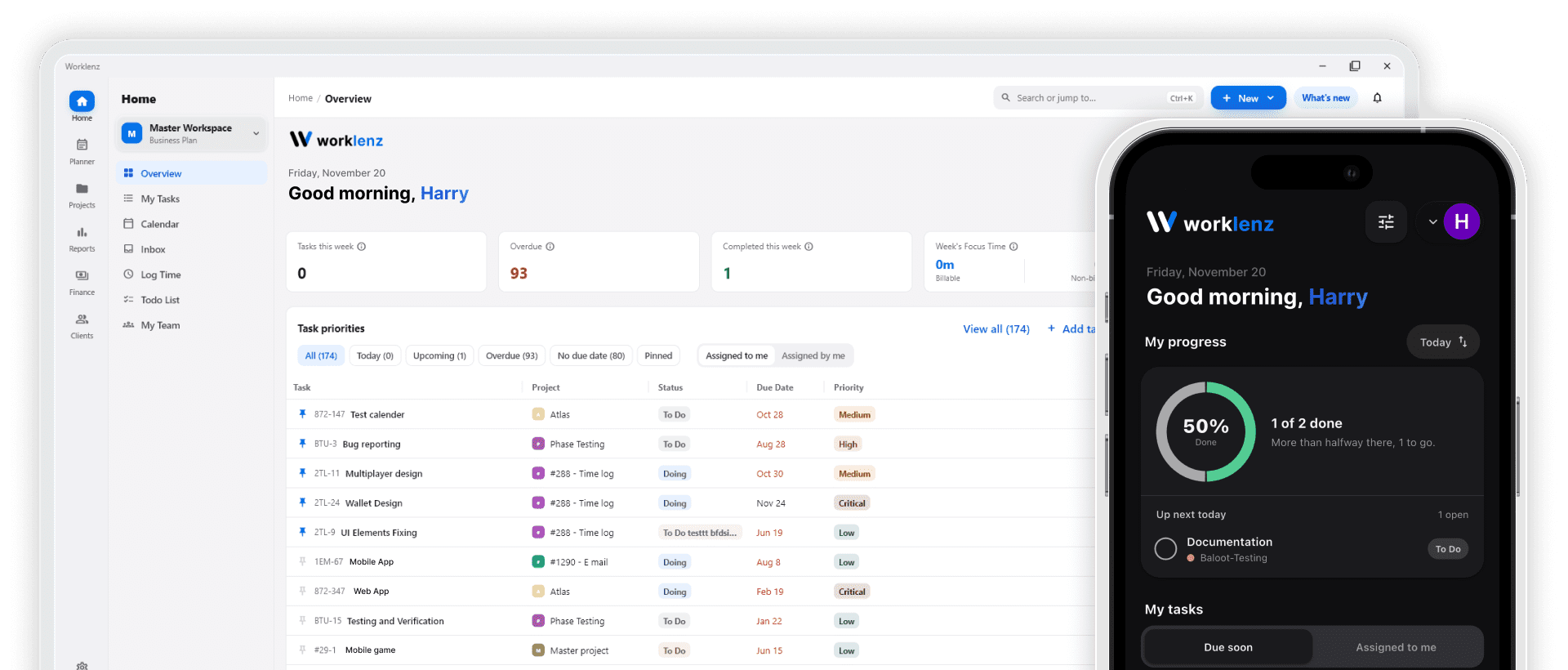
- ✅Task ManagementOrganize and track tasks with complete transparency - #1 most used feature
- 🤝Team CollaborationStreamline communication and coordinate team efforts seamlessly
- 📊Resource PlanningOptimize team allocation and project resource management
- ⏱️Time TrackingMonitor time spent and improve project efficiency
- 💬Client CommunicationKeep clients informed with transparent project updates
👤By User Role- 👨💼AdministratorsComprehensive tools for system administration and team oversight
- 📋Project ManagersComplete project lifecycle management and team coordination
- 👥Team MembersStreamlined task management and collaboration tools
- 💰Financial ManagersControl costs and automate invoicing with financial insights
🏢By Industry- 🎯ConsultancyBusiness, Legal, Accounting, Environmental consulting services
- 🎨AgencyCreative, Advertising, Marketing, Digital, PR services
- 💻Software & ITSoftware Development and IT Services management
- 🏗️Architecture & EngineeringArchitectural, Engineering and related services
- 🎪Event ManagementEvent Marketing and Performing Arts coordination
- Pricing
- Case studies
- Blog
- Sign in
- Try for Free