
10 Best PSA Software for Agencies in 2027
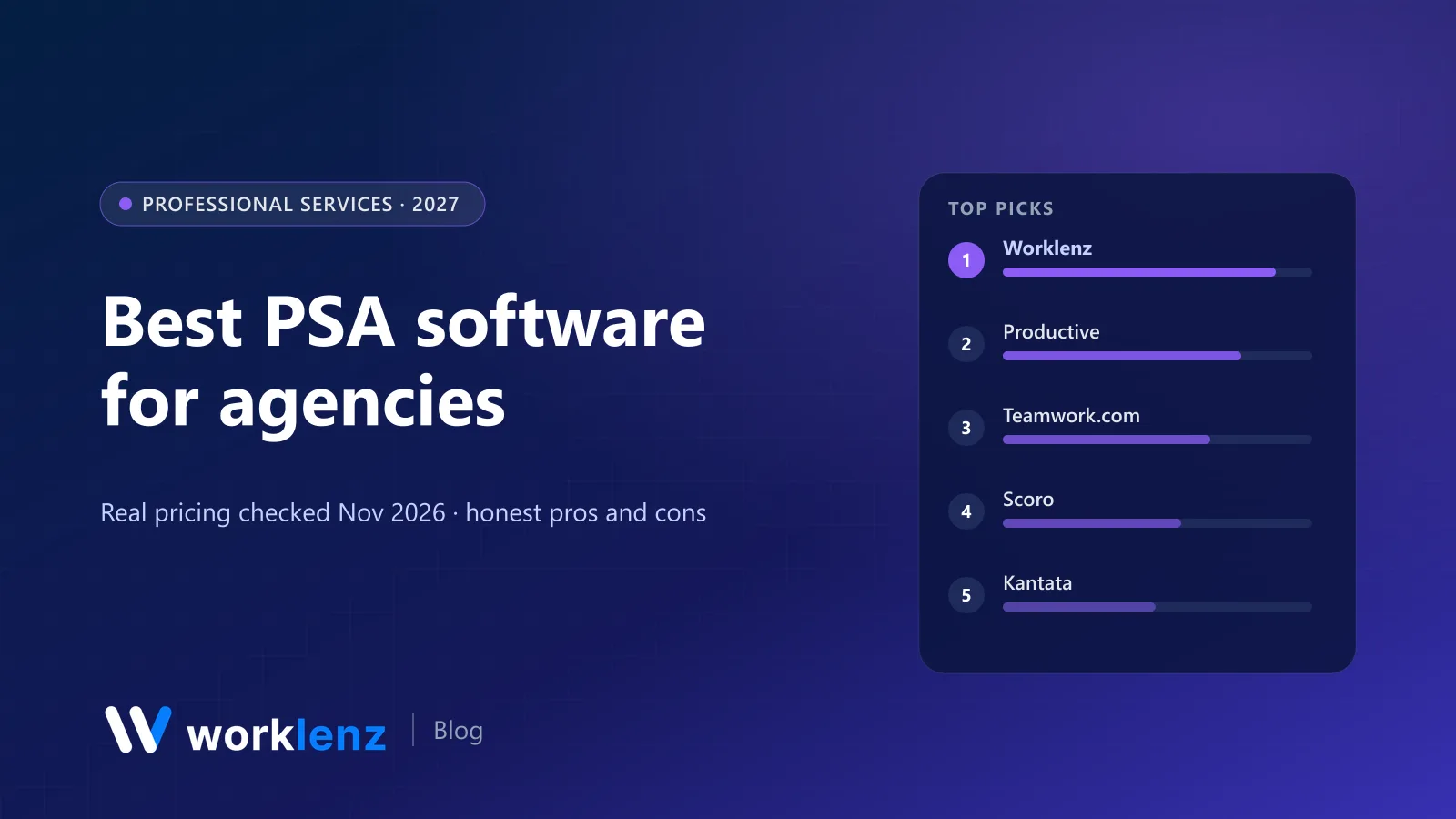
PSA software has a branding problem. Half the tools that call themselves “PSA” are really help desks for IT managed service providers, and the other half are project tools with a timer bolted on. If you run an agency, studio or consultancy, you want the narrow middle: projects, time, people and money in one system, so you can see whether a project is profitable before it’s finished.
We make Worklenz, which is in this list. Every price below was checked on the vendor’s own pricing page on 19 November 2026, and where a vendor hides pricing behind a sales call, we say so.
Not an MSP list. If you run IT support contracts, look at HaloPSA, ConnectWise PSA, Autotask or Syncro instead. They’re built around tickets and remote monitoring, not projects.
Quick picks
- Best value for small and mid-size agencies: Worklenz
- Best for financial forecasting: Productive
- Best mature client-work PM: Teamwork.com
- Best for quote-to-cash in one system: Scoro
- Best for 200+ person firms: Kantata
- Best for retainers and recurring work: Accelo
- Best for client onboarding projects: Rocketlane
- Best open source ERP route: Odoo
Comparison table
Prices per user per month, annual billing, from the vendor’s site.
| Tool | Best for | Starts at | Minimum seats | Resourcing | Invoicing | Client portal |
|---|---|---|---|---|---|---|
 Worklenz |
Agencies 5–100 people | $6 | None | Pro (view), Business (edit) | Pro | Pro (branded on Business) |
 Productive |
Profitability tracking | ~$10–12 | 3 (per vendor summary) | Essential | Integrations | Not listed |
 Teamwork.com |
Client-work PM | $9.99 | 3 (Basics), 5 (Accelerate) | Accelerate | Basic invoices on Accelerate | Client users from Basics |
 Scoro |
Quote-to-cash | $17 | 5 | Resource app | Invoice app | Paid add-on |
 Kantata |
Large PS firms | Quote only | Not shown | Yes | Yes | Not shown |
 Accelo |
Retainers, service ops | Quote only | Not shown | Yes | Yes | Yes |
 Function Point |
Creative agencies | ~$53 | Not shown | All plans | All plans | Not shown |
 Rocketlane |
Implementation teams | $49 | 5 | Premium ($69) | Premium | All plans |
 Odoo |
ERP-led firms | ~$8.95 (Standard) | None | With apps | Yes | Yes |
 Paymo |
Small studios | $15.9 (Plus, monthly) | None | Pro | All plans | Guest access |
What a PSA has to do
A PSA has to cover four jobs. We scored each tool on all four and weighed cost on top:
- Delivery: tasks, phases, Gantt, templates.
- Time: timers, timesheets, approvals, billable vs non-billable.
- People: capacity, scheduling, utilisation.
- Money: budgets, rates, profitability, invoicing.
A tool that does three of the four well and connects cleanly to your accounting system for the fourth is usually a better buy than one that does all four badly. This is a comparison built from vendor pricing pages and published feature lists, not a months-long test of every product.
What PSA costs for a real agency
Monthly cost on annual billing, at the entry tier that includes time tracking and some form of resourcing:
| Tool and tier | 5 people | 10 people | 25 people |
|---|---|---|---|
| Worklenz Pro | $30 | $60 | $150 |
| Worklenz Business (finance, full scheduler) | $50 | $100 | $250 |
| Teamwork.com Accelerate (min 5) | ~$125 | ~$250 | ~$625 |
| Productive Professional | ~$125 | ~$250 | ~$625 |
| Scoro Projects & Resources (min 5) | $145 | $290 | $725 |
| Rocketlane Premium (min 5) | $345 | $690 | $1,725 |
| Function Point Standardize | ~$265–290 | ~$530–580 | ~$1,325–1,450 |
The 10 best PSA tools
1. Worklenz
Best for: agencies and consultancies from 5 to around 100 people that want PSA without enterprise pricing.
Worklenz started as an agency project tool and grew into the PSA shape: tasks and phases, time tracking and timesheets, workload and a resource scheduler, a client portal with client requests, invoices, and project finance on the top tier. It’s open source under AGPL-3.0, so the Community edition can be self-hosted for unlimited users at no licence cost.
Cloud pricing is per active user with no minimum: Pro $8/month or $6 annually, which covers time tracking, timesheets, workload, client portal and invoices. Business $12 or $10 annually adds project finance, billable work reports, the branded portal, full Gantt and scheduler editing, and advanced reporting. There’s a 14-day trial without a card, and a 5-member Free plan for trying the basics.
Strengths
- The four PSA jobs covered from $6 a user
- No minimum seats, so it works for a 4-person studio
- Open source, with a free self-hosted edition
Limitations
- No revenue recognition, multi-currency consolidation or scenario forecasting
- Shorter integration list than the big PSAs
- CRM is on the roadmap, not shipped
Pick it if: you want time, resourcing, client portal and invoicing for well under $15 a seat. Skip it if: your finance team needs revenue recognition and WIP reporting inside the PSA.
Read more about Worklenz as a PSA.
2. Productive
Best for: agencies where the managing director lives in margin reports.
Productive is probably the most finance-minded tool here. Budgets, rate cards, recurring budgets and resource planning are core, and the Ultimate tier adds revenue forecasting, a scenario builder and overhead calculation. Essential is around $10–12 and Professional $25 per user (annual, $29 monthly); Ultimate is a sales conversation. There’s a 14-day trial and no free plan. Invoicing runs through integrations rather than natively on the plans we saw.
Strengths
- Excellent budgets, rate cards and profitability views
- Resource planning from the entry tier
- Scenario builder on Ultimate
Limitations
- No free plan
- Invoicing relies on integrations
- Forecasting needs the top, sales-led tier
Pick it if: profitability forecasting is the main reason you’re buying. Skip it if: your team is under 10 people and price-sensitive. The value shows up at scale.
3. Teamwork.com
Best for: client-work teams that want a mature project tool with PSA features layered on.
Teamwork.com has spent years marketing to agencies and it shows: client users, billable time, retainers and workload are well thought through. Basics is $9.99 (annual, minimum 3 users) and lets you invite clients into projects. Accelerate is $24.99 (minimum 5) and adds workload, live capacity, time budgets, retainers and basic invoices. Optimize and Enterprise are sales-led. Free covers 5 users and 5 projects.
Strengths
- Polished client experience inside projects
- Retainers and time budgets on Accelerate
- Generous free plan with Gantt
Limitations
- Minimum seats on paid plans
- Only “basic” invoices below Optimize
- Workload needs the $24.99 tier
Pick it if: you want a polished PM tool your clients will happily log into. Skip it if: you need invoicing beyond “basic” without moving to Optimize.
4. Scoro
Best for: firms that want quotes, projects, time and invoices to flow through one system.
Scoro is modular. You buy core apps (Do, Deliver, Track, Resource, Sell, Estimate, Spend, Invoice) in prebuilt combinations. Time-billing starts at $17 per user, Projects & Resources and Quote to Cash at $29, and End-to-end at $57, all with a 5-user minimum; annual billing saves 13–17%. The customer portal is a paid add-on.
Strengths
- Quote-to-invoice flow without re-keying
- Modular, so you pay for what you use
- Strong reporting
Limitations
- 5-user minimum
- Customer portal costs extra
- Module pricing gets complicated
Pick it if: sales quotes turning into projects turning into invoices is your core workflow. Skip it if: you’re a 3-person studio. The minimum seats and module pricing won’t make sense yet.
5. Kantata
Best for: professional services firms with hundreds of billable people.
Kantata (formerly Mavenlink) is the heavyweight: deep resource management, financials and integrations with ERPs. Its pricing page doesn’t show numbers. Plans are tailored to company size, goals and the way your team works, so expect a sales cycle and an implementation project.
Strengths
- Deep, role-based resource management
- Built for large professional services firms
- ERP integrations
Limitations
- No public pricing
- Implementation takes time
- Overkill under about 100 people
Pick it if: you’re large enough to staff a PSA admin. Skip it if: you want to be live next week.
6. Accelo
Best for: service businesses with lots of retainers and recurring work.
Accelo combines sales, projects, tickets, retainers and billing, plus a client portal. It’s well liked by agencies that run a mix of projects and ongoing support. Like Kantata, pricing is quote-based, depending on team size and growth goals.
Strengths
- Retainers and recurring work handled natively
- Sales, projects and billing together
- Client portal included
Limitations
- Quote-only pricing
- Broad scope means more setup
- Interface is denser than newer tools
Pick it if: retainers and recurring service work are a big share of revenue. Skip it if: you want transparent self-serve pricing.
7. Function Point
Best for: creative and marketing agencies that want an agency-specific system.
Function Point is built for agencies only. Every plan includes resource forecasting by role, time tracking, campaign and project budgeting, profitability by client and batch invoicing. Standardize is $53–58 and Optimize $62–68 per user per month, depending on billing, and Optimize adds QuickBooks Online and BI reporting. There’s an onboarding fee and no free trial; it’s demo-led.
Strengths
- Agency workflows out of the box
- Everything on every plan
- Batch invoicing
Limitations
- Expensive per seat
- Onboarding fee
- No self-serve trial
Pick it if: you want agency workflows out of the box and the budget is there. Skip it if: $50+ per seat is more than your margin can carry.
8. Rocketlane
Best for: SaaS onboarding and implementation teams.
Rocketlane is PSA for customer onboarding: branded customer portals, project templates and timesheets with approvals are in Standard ($49 per member, annual, minimum 5). Resource planning, budgets, rate cards, margins and invoicing are on Premium ($69).
Strengths
- Branded customer portal on every plan
- Built for implementation projects
- Timesheet approvals on Standard
Limitations
- Expensive for small teams
- 5-member minimum
- Tuned for SaaS onboarding, not creative work
Pick it if: your “projects” are customer implementations. Skip it if: you’re a creative or marketing agency. It’s tuned for a different job.
9. Odoo
Best for: firms that want PSA as part of a full open source ERP.
Odoo’s Project, Timesheets, Planning and Invoicing apps cover the PSA loop, and the rest of the ERP (accounting, CRM, HR) is right there. Odoo Online’s Standard plan is about $8.95 per user on annual billing for all apps, and a single app is free for unlimited users. The Community edition is open source.
Strengths
- PSA and accounting in one database
- Very low per-user price for all apps
- Open source Community edition
Limitations
- Needs configuration or a partner
- Some features are Enterprise-only
- Feels like an ERP, because it is one
Pick it if: you want accounting and PSA in the same database. Skip it if: you want to be productive without an implementation project.
10. Paymo
Best for: small studios and freelancers growing into a team.
Paymo combines tasks, time tracking and invoicing at a friendly price. Unlimited time tracking and invoices are on the free 1-user plan. Plus is $15.9 and Pro $23.9 per user per month at regular monthly pricing (annual saves up to 40%), and Gantt charts and employee scheduling are on Pro.
Strengths
- Invoicing even on the free plan
- Time tracking built in
- Simple to learn
Limitations
- Scheduling and Gantt only on Pro
- Light on forecasting
- Better for small teams than large ones
Pick it if: you’re 2–10 people and invoicing is a must. Skip it if: you need serious capacity planning across many projects.
Also worth a look
- BigTime: popular with accounting, engineering and consulting firms that bill hourly.
- Float plus Harvest: not a PSA, but a well-loved pairing for scheduling and time-to-invoice.
- ActiveCollab: projects, time and invoicing (on Pro+, $15) with free client roles.
- ERPNext: open source ERP with projects and billing from timesheets.
How to choose a PSA without regretting it
Start from your billing model. Hourly billing needs approvals and billable rates. Fixed-fee work needs budget burn. Retainers need recurring budgets. Ask each vendor to show your model, not theirs.
Check minimum seats. Scoro and Rocketlane start at 5 seats, Teamwork.com Accelerate at 5. For a 4-person studio that changes the maths.
Count your clients, not just your staff. Client portals and guest seats are priced differently by every vendor. Worklenz gives 3 guests per project on Pro and unlimited on Business; Teamwork.com includes client users from Basics; Scoro charges for the portal.
Decide where invoicing should live. If your accountant insists on Xero or QuickBooks, a PSA that exports clean billable data may be enough. If you want to send invoices from the PSA, check that it’s native on the tier you’re buying.
Pilot with real numbers. Load one live client project, log a week of real time and produce the profitability report. If the report doesn’t match your gut, find out why before you sign.
Which PSA for which agency
- 4–15 person creative or digital studio: Worklenz Pro or Business. Lowest cost for the full loop, and no seat minimum.
- 15–60 person agency with a finance lead: Productive or Teamwork.com Accelerate, depending on whether margins or client experience matters more.
- Agency that quotes every job: Scoro.
- Retainer-heavy agency: Accelo.
- 200+ person consultancy: Kantata.
Moving to a PSA: what to bring across
- Clients and active projects, with budgets and phase structure.
- Rates: billable rates per role or person, and cost rates if you track margin.
- Open time: unbilled hours from the last billing period, so nothing falls through the gap.
- Templates for your three or four most common project types.
Leave completed projects in the old system or export them. Migrating years of history rarely pays off.
FAQ
What is PSA software?
What is the best PSA software for a small agency?
How much does PSA software cost?
Is there free or open source PSA software?
What's the difference between PSA software for agencies and PSA for MSPs?
When does an agency need PSA software instead of a project management tool?
Projects, time, capacity and invoices in one place.
Worklenz Pro is $6 a user on annual billing, with no minimum seats. 14-day trial, no card.
Start a free trialRelated: Best open source PSA software · Best resource management software · Best PM software with invoicing · Best agency management software