
Best Project Management Software for Remote Teams 2027
Remote work doesn’t fail because of tools. It fails because information that used to travel by walking past someone’s desk now doesn’t travel at all. The best project management software for remote teams fixes that by making status written, visible and asynchronous, so nobody has to be online at the same time to know what’s going on.
We looked at ten tools through that lens. Prices were checked on 19 November 2026. We make Worklenz, which is on the list for remote service teams.
Quick picks
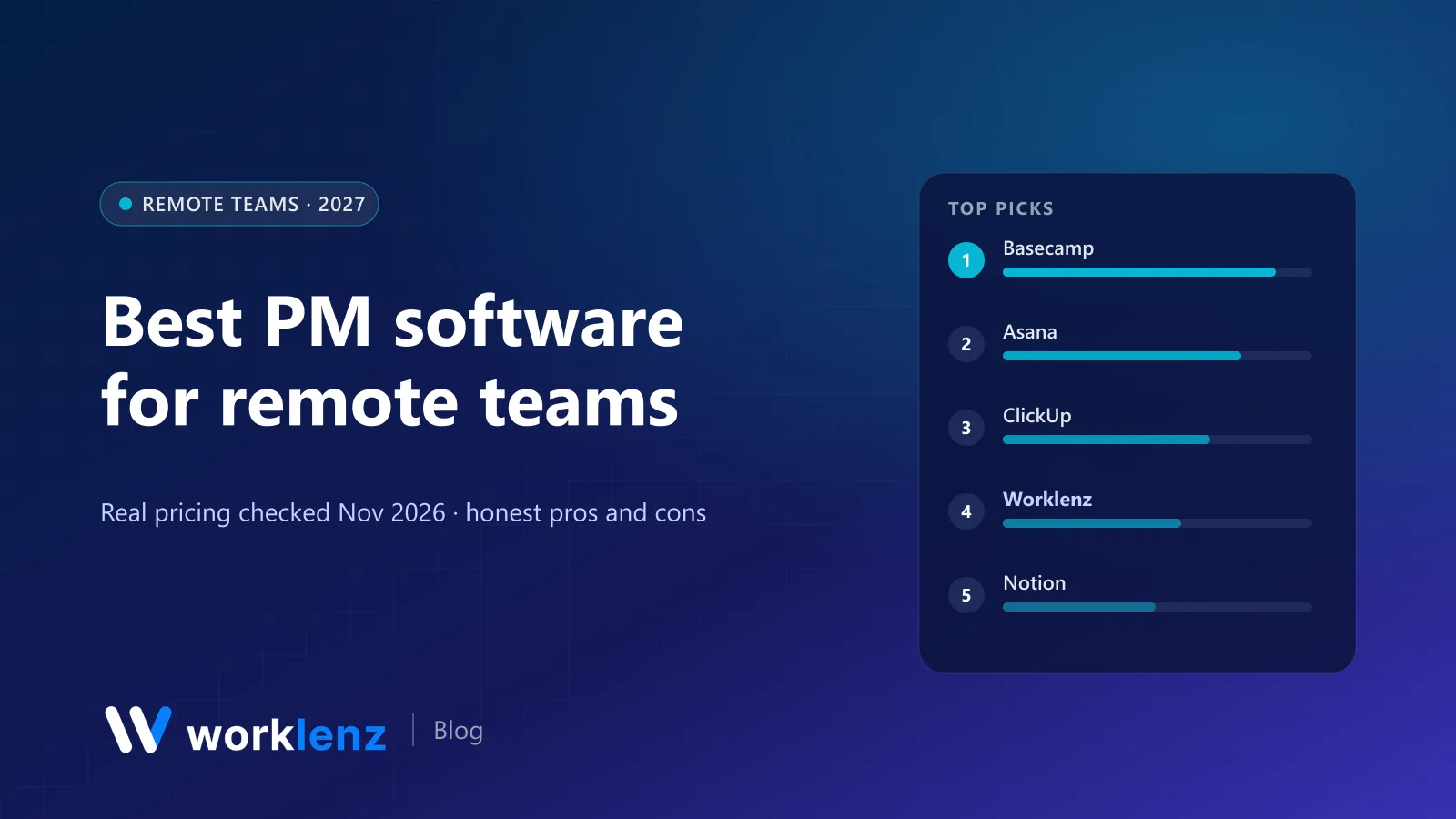
- Best async-first tool: Basecamp
- Best all-rounder for distributed teams: Asana
- Best for remote power users: ClickUp
- Best for remote agencies and service teams: Worklenz
- Best for remote teams that write a lot: Notion
- Best built-in chat: Nifty
Comparison table
| Tool | Async features | Paid from (annual) | Free plan |
|---|---|---|---|
 Basecamp |
Automatic check-ins, message boards | $29/mo flat | 1 project |
 Asana |
Status updates, goals, inbox | $10.99/user | 2 users |
 ClickUp |
Docs, chat, comments, clips | $9/user | Unlimited members, 60 MB |
 Worklenz |
Daily digest, project updates, client portal | $6/user | 5 members, 3 projects |
 Notion |
Docs, wikis, comments | $10/seat | Yes |
 Nifty |
Built-in chat, docs, milestones | $10/member | Unlimited members, 2 projects |
 monday.com |
Updates, dashboards, automations | $9/seat (min 3) | 2 seats |
 Trello |
Card comments, automation | $5/user | 10 collaborators |
 Teamwork.com |
Comments, client users, workload | $9.99/user | 5 users |
 Plane |
Issues, pages, cycles | $6/user | 12 users |
What remote teams actually need from a tool
| Remote problem | Feature that fixes it | Tools strongest here |
|---|---|---|
| “What’s everyone doing?” | Check-ins, digests, status updates | Basecamp, Worklenz, Asana |
| “Where was that decided?” | Message boards, docs, task comments | Basecamp, Notion, ClickUp |
| “Who’s overloaded?” | Workload view | Worklenz, Asana Advanced, ClickUp Business |
| “Is the client happy?” | Client portal or client users | Worklenz, Teamwork.com |
| “Can we talk about this?” | Built-in chat (or Slack integration) | Nifty, ClickUp |
The 10 best tools for remote teams
1. Basecamp
Basecamp was designed by a remote company to replace meetings and internal email. Automatic check-ins (“What did you work on today?”), message boards for decisions, to-dos and docs keep a distributed team aligned without being online together. Pricing is flat: Freelancer $29, Pro $79, Pro Plus $99, Pro Unlimited $199 a month annually.
Pick it if: you want calm, async communication as the default. Skip it if: you need Gantt, workload or detailed time tracking.
2. Asana
Asana is the safest choice for remote cross-functional teams. Clear task ownership, status updates on projects and portfolios, goals, and an inbox that replaces a lot of chat. Starter is $10.99; Advanced ($24.99) adds workload and native time tracking.
Pick it if: you need structure across departments and time zones. Skip it if: you’re a small team on a tight budget.
3. ClickUp
ClickUp’s docs, chat, comments, screen recordings (Clips) and many views give remote teams a lot in one place. Core is $9. It can get noisy; set notification rules early.
Pick it if: you want one tool to replace several. Skip it if: notification overload is already a problem.
4. Worklenz
For remote agencies and service teams, the hard part isn’t internal alignment; it’s keeping clients aligned too. Worklenz gives the team a personal task view, calendar and daily digest (included on the free plan) so everyone knows what’s due without a stand-up, plus project updates for written status. Time tracking and workload let managers see effort and capacity across time zones, and the client portal lets clients check progress without a call.
Free covers 5 members and 3 projects with the daily digest and project updates; Pro ($6 annually) adds time tracking, workload and the client portal.
Pick it if: you’re a remote team doing client work. Skip it if: your team never deals with clients or hours.
5. Notion
For remote teams whose work is mostly written (product specs, research, content), Notion is the shared brain. Wikis, docs and databases with comments. Plus is $10 a seat.
Pick it if: writing is how your team works. Skip it if: you need scheduling and capacity.
6. Nifty
Nifty includes chat, docs, milestones and tasks in one tool, so remote teams can discuss work where the work is. Per-member pricing starts at $10, or flat pricing from $79 a month for 7–10 people.
Pick it if: you want discussion and tasks together. Skip it if: you already rely on Slack or Teams.
7. monday.com
monday.com’s dashboards and automations give remote managers a quick picture of progress. Basic is $9 a seat with a 3-seat minimum.
Pick it if: your team is non-technical and visual. Skip it if: you need workload below Enterprise.
8. Trello
For small remote teams with simple workflows, a shared Trello board is still the clearest status page there is. Standard is $5.
Pick it if: your work fits on cards. Skip it if: you need timelines or capacity.
9. Teamwork.com
Teamwork.com suits remote client-service teams that want a mature tool with client users (Basics, $9.99) and workload (Accelerate, $24.99).
Pick it if: you want client access in a polished tool. Skip it if: you’re under five people.
10. Plane
Plane gives remote engineering teams a fast, open source tracker with pages for written specs. Cloud Free covers 12 users.
Pick it if: you’re a remote software team. Skip it if: you’re not building software.
A remote week that works
| When | What happens | Where |
|---|---|---|
| Monday | Each person posts the week’s priorities | Check-in or project update |
| Daily | Work from your own task list or digest; questions go in task comments | PM tool |
| End of each person’s day | Short written handover for anyone in the next time zone | Task comment or message board |
| Thursday | Blockers raised in writing; one overlap call only if needed | PM tool, then call |
| Friday | Log time (if you track it); manager reviews workload for next week | PM tool |
Five remote habits your tool should support
- One owner, one due date per task. Ambiguity costs a full day when people are eight hours apart.
- Written status, on a schedule. Check-ins, digests or weekly updates, not “ping me if anything changes”.
- Decisions recorded where the work lives, not in a chat thread that scrolls away.
- Visible capacity. In an office you can see someone’s overloaded. Remotely, you need a workload view.
- Overlap hours for the few things that need them. Keep synchronous time for discussion, not status.
A practical remote tool stack
Most remote teams run four tools. Keep it to four:
| Job | Typical choices |
|---|---|
| Work and status | Your PM tool (one of the ten above) |
| Quick conversation | Slack, Microsoft Teams or the PM tool’s own chat |
| Long-form writing | Notion, Google Docs or the PM tool’s docs |
| Live calls | Zoom, Google Meet or Teams |
The rule that makes it work: decisions and status live in the PM tool. Chat is for conversation, not record-keeping.
An async status update template
Ask each person to post this once a week, in the PM tool:
- Done: what shipped or finished.
- Next: the top two or three things for next week.
- Blocked: anything waiting on someone else, with a name.
- Heads-up: time off, risks, or anything the team should know.
Four lines, two minutes, and the Monday meeting can be half as long.
FAQ
What is the best project management software for remote teams?
How do remote teams stay aligned without more meetings?
Do remote teams need time tracking?
What's the best free project management tool for remote teams?
How do you manage a team across many time zones?
Keep a remote team and its clients in sync.
Daily digest on the free plan; time tracking, workload and a client portal on Pro for $6 a user.
Start freeRelated: Effective communication strategies for remote teams · Why open source task management suits remote teams · Best team management software